(If the title of this article means nothing to you feel free to stop reading now.)
I recently got a bee in my bonnet to build an app to help the managers of my daughter’s soccer team track the players’ playing time. I imagined an app where the screen is divided into two sections (one representing the field, the other representing the bench) At any given time there would (typically) be 11 players on the field and the others would be on the bench. When a substitution was being prepared, the user would select the players leaving the field and the players going on the field. Then they’d tap a button and the selected players would switch between the bench and the field.
Step 1 was to create a Player model object
struct Player {
    let firstName: String
    let lastName: String
    let number: Int
    var displayName: String { "\(firstName) \(number)" }
}
At this point, code completion offered to add an implementation of the Identifiable protocol. Looks sensible.
extension Player: Equatable {
    static func == (lhs: Player, rhs: Player) -> Bool {
        return lhs.firstName == rhs.firstName &&
        lhs.lastName == rhs.lastName &&
        lhs.number == rhs.number
    }
}
And then to create a SwiftUI version of a UIKit CollectionView (using the Layout protocol), I created a FlowLayout struct.
struct FlowLayout: Layout {
    var spacing: CGFloat = 8

    func sizeThatFits(proposal: ProposedViewSize, subviews: Subviews, cache: inout ()) -> CGSize {
...
        return CGSize(width: width, height: totalHeight)
    }

    func placeSubviews(in bounds: CGRect, proposal: ProposedViewSize, subviews: Subviews, cache: inout ()) {
...
    }
}
Now I create a subview for displaying an individual players
struct PlayerView: View {
    @State var player: Player

    var body: some View {
        VStack {
            Text(player.displayName)
        }
            .font(.footnote)
            .padding()
            .background(Color.blue.opacity(0.1))
            .cornerRadius(8)
    }
}
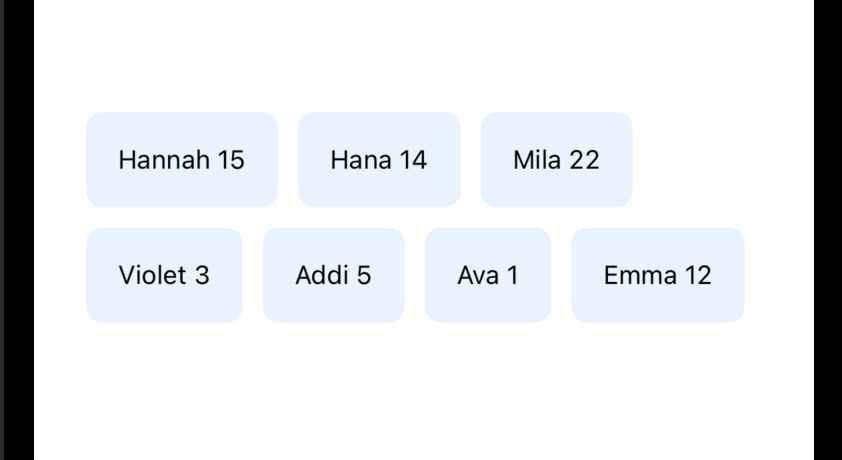
I can now make this: (woohoo!)
Next step, adding selection to the mix. In the spirit of moving quickly, I added a property to the Player model object.
struct Player {
    let firstName: String
    let lastName: String
    let number: Int
    var isSelected: Bool = false
    var displayName: String { "\(firstName) \(number)" }
}
And logic to PlayerView
    var body: some View {
        VStack {
            Text(player.displayName)
        }
            .font(.footnote)
            .padding()
            .background(Color.blue.opacity(backgroundOpacity))
            .cornerRadius(8)
            .onTapGesture {
                player.isSelected.toggle()
            }
    }
    var backgroundOpacity: Double {
        player.isSelected ? 0.6 : 0.1
    }
I run the app, tap on a player. Eureka the background turns blue! But then I tap it again, and it stays blue. I try tapping on the other player cells. None of them turn blue. What the heck?!
I try stripping things out (eg replace my Layout-based container view with a standard VStack, but the bad behaviour persists. I think try copying the bare minimum of code into a new test project. And… it behaves correctly (I can select and deselect any/all the player cells in the collection)
I had thought my project had all the same code as the new project I’d just created. Unfortunately, they were behaving differently. There must be a difference. Eventually I tried commenting out the Equatable implementation that code completion had so generously offered me. This fixed my bug! Users were now able to select and deselect the player cells.
But why? Because I modified my Player model object, to include the isSelected property, but this change didn’t make it to the == logic. So now, when isSelected changed, the UI updating code would use == to see if the old version of a player == the current version. And when true was returned, the UI assumed there was no need to refresh the cell. I could have added isSelected to the == implementation, but instead I just deleted it. My understanding is that the default implementation of Equatable will compare all the properties, including our newly added isSelected.

